
01
Assess
Review modules, existing records, receipt formats, payment modes, roles, printers, and opening balances.
 Free Forever for Every Temple
TempleOS provides every temple with the essential tools to manage donations, receipts, accounting, devotees and daily operations—completely free. Upgrade only when your temple needs advanced features.

These concept previews explain the intended workflows. Actual screens vary by role, enabled modules, language, and temple configuration.
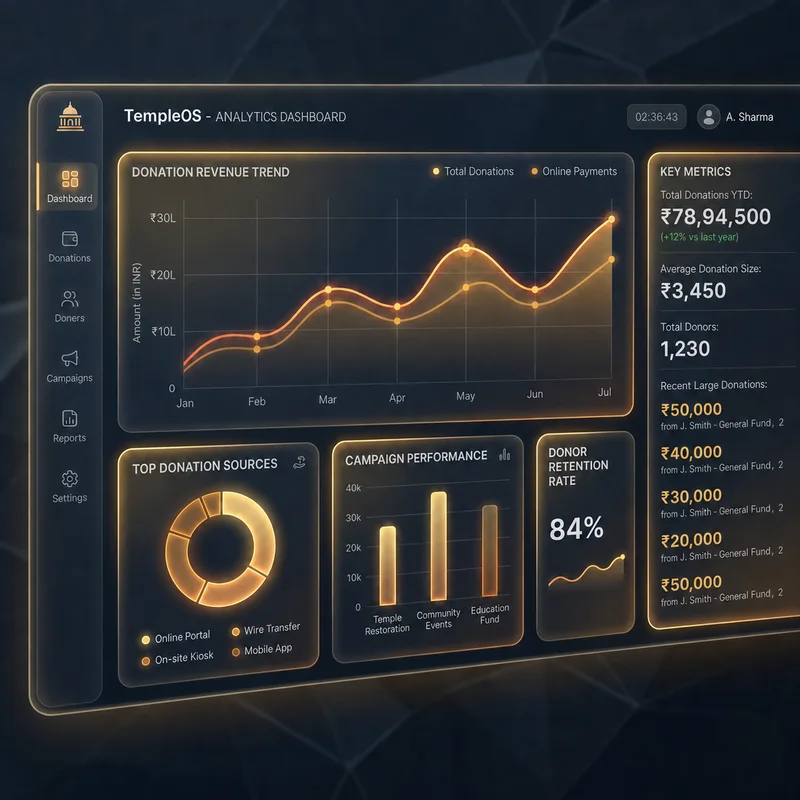

TempleOS brings routine records and approvals into one controlled workspace so authorized teams can work from consistent information.
Automate bookings, receipts, schedules, and routine administrative work.
Issue fast, professional, bilingual receipts with consistent numbering.
Keep clear transaction histories and generate trustee-ready reports quickly.
Maintain structured accounts, donation records, journal entries, and controlled corrections.
Protect operational data with dependable cloud-hosted backups.
Give trustees, staff, and accountants access only to what they need.
Run multiple branches and counters from one unified platform.
Free your team to focus on spiritual service, growth, and community.
Secure, dependable, and built in India
Explore the modules that deliver faster administration, accurate accounting, better devotee service, and confident oversight.
Illustrative workflow preview — sample names and values are fictional.
Record daily sevas and special-service installments, issue consistently numbered receipts, and dispatch thermal or laser print jobs through the local PrintBridge.
Start with Prārambha for free. Upgrade as your temple grows. Add modules only when you need them.
No Initial Setup FeeGet started instantly. No upfront cost.
Pay Only as You GrowAdd modules when you need them.
Upgrade or Downgrade AnytimeFull flexibility, always.
No Hidden CostsTransparent pricing. No surprises.
TempleOS provides structured records, permissions, audit context, and configurable receipt fields. Each temple remains responsible for its policies, registrations, tax eligibility, and professional advice.
Record PAN details and configure eligible 80G receipt wording and approval references for the temple.
End-of-day closing prevents normal edits; authorized reopen and correction actions remain recorded for review.
Financial workflows create journal and audit records, while corrections follow controlled reversal or approval paths.
Supported records can be queued on an onboarded local server and pushed securely after connectivity returns. Site validation is required.
Common questions from administrative boards and trusts regarding secure migration, sync infrastructure, and deployment.
We first assess source files, data quality, modules, printers, and accounting cut-off requirements. The implementation schedule is confirmed only after mapping, validation, and reconciliation scope is known.
An onboarded Ubuntu/PostgreSQL server can run in hybrid mode. Supported records are queued locally and sent with a server-specific credential after connectivity returns; uploads remain in the backup workflow.
No software alone can guarantee compliance. TempleOS supports double-entry ledgers, permissions, daily closing, audit context, and configurable receipt fields. The temple and its professional advisers must confirm the applicable accounting and tax treatment.
Configure TempleOS around verified temple data, approved controls, user roles, and the printers used at each counter.
Review modules, existing records, receipt formats, payment modes, roles, printers, and opening balances.
Set up the tenant, temple structure, masters, permissions, numbering, templates, and approved integrations.
Reconcile imported data and test bookings, accounting, payments, receipts, backups, and printer recovery.
Activate trained users after temple-owner acceptance, then monitor queues, errors, backups, and daily closing.
Offline and hybrid operation is configured only after server identity, data ownership, conflict handling, and restore procedures are agreed and tested.
TempleOS Editorial
Guidance on temple administration, financial transparency, devotee services, and digital transformation.

Discover five revered Karnataka temples where faith, nature, heritage, and modern administration meet.
Read article
Better organization can return more time to service, devotion, and spirituality.
Read article
Thoughtful access, participation, and community can help every devotee stay connected.
Read article
It was the first day of the annual temple festival. By sunrise, thousands of devotees were waiting patiently for darshan.
Read article
Managing a temple today involves much more than daily rituals.
Read article
Trust has always been the foundation of every temple.
Read article
It was the beginning of the annual festival, and by sunrise, hundreds of devotees had already gathered outside the temple.
Read articleTell our onboarding team about your temple, current records, and priority workflows. We will arrange a focused product demonstration.

Contact Number: 89043 88568
Email: sales@templeos.in
